ทั่วไป


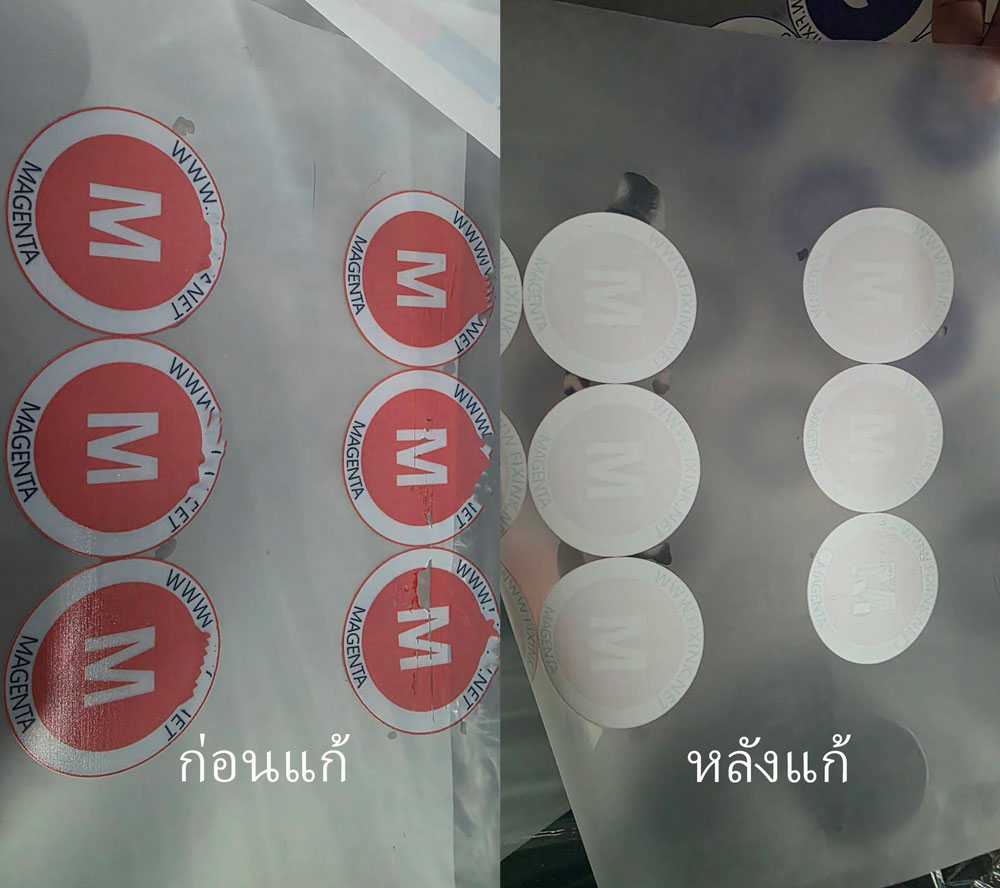
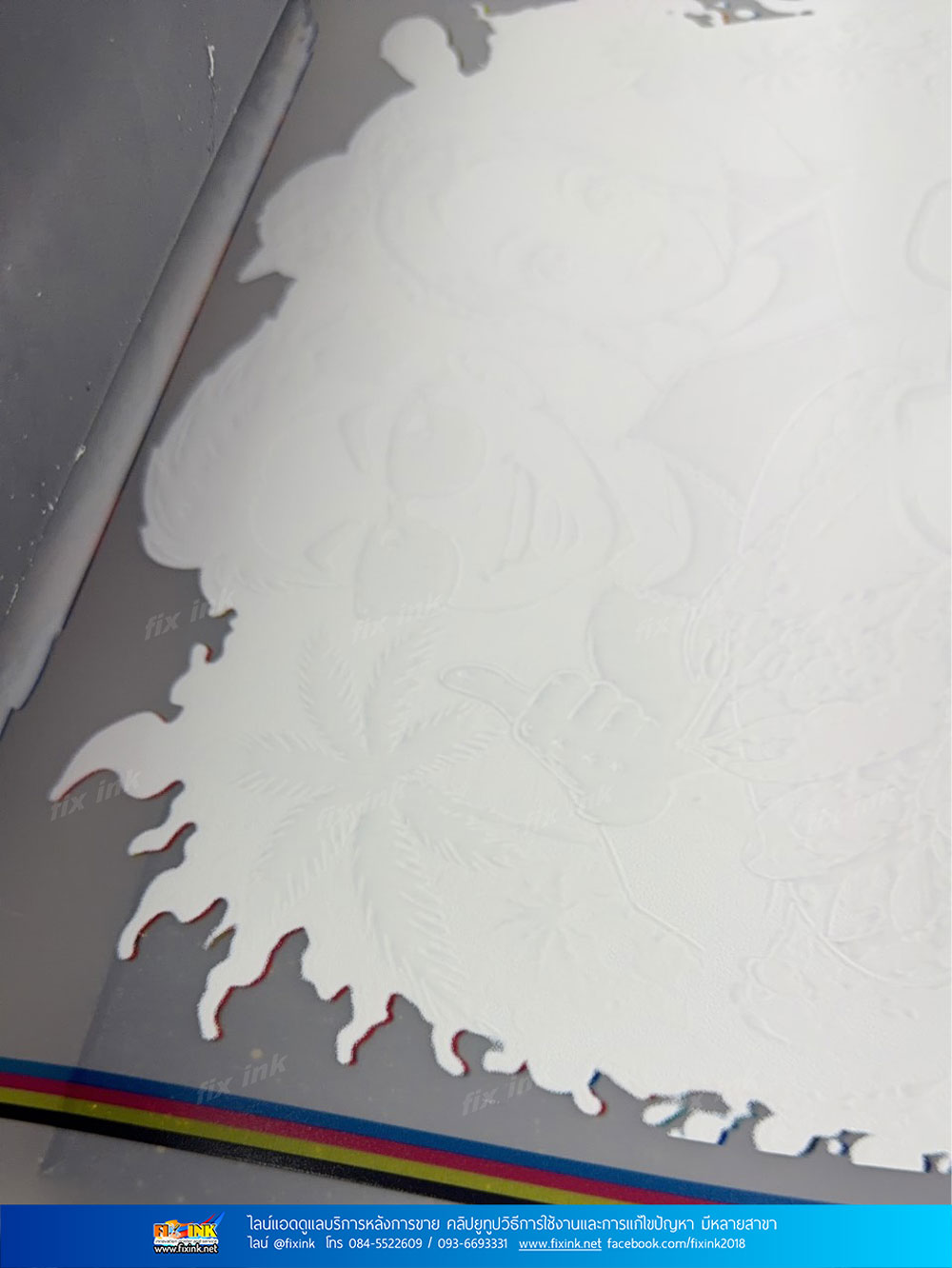
พิมพ์สีขาวบาง เทสหัวพิมพ์ออกครบ งาน DTF DFT  Epson L8050 L18050 
อาการนี้เป็นได้หลายอย่างแต่ถ้าเทสหัวพิมพ์แล้วออกครบส่วนมากปัญหาจะเกิดจากหมึก แนะนำให้ถ่ายหมึกเก่าทิ้งออกให้หมดจากนั้นใส่หมึกใหม่ลงไป และลงอพิมพ์ดู โดยสาเหตุอาจจะมาจาก 
- ตอนเติมหมึกไม่ได้เขย่าก่อนเติม 
- หมึกอยู่นานแล้วทำให้หมึกเสื่อมสภาพ 
- หมึกมีตะกอน คราบ จับเป็นก้อน
- หมึกหนืดทำให้ไม่ถูกพ่นออกมาทำให้สีขาวจาง

บทความนี้เขียนโดย https://printsos.net/ 
พบการละเมิดใดๆแจ้งได้ที่เมล์ ลิงค์ในการโหลดเสีย This email address is being protected from spambots. You need JavaScript enabled to view it.

Write comment (0 Comments)

Error กดเชฟไฟล์ไม่ได้ในโปรแกรม  MainTop  สำหรับทำไฟล์ใช้งานเครื่อง DTF 33 60cm 
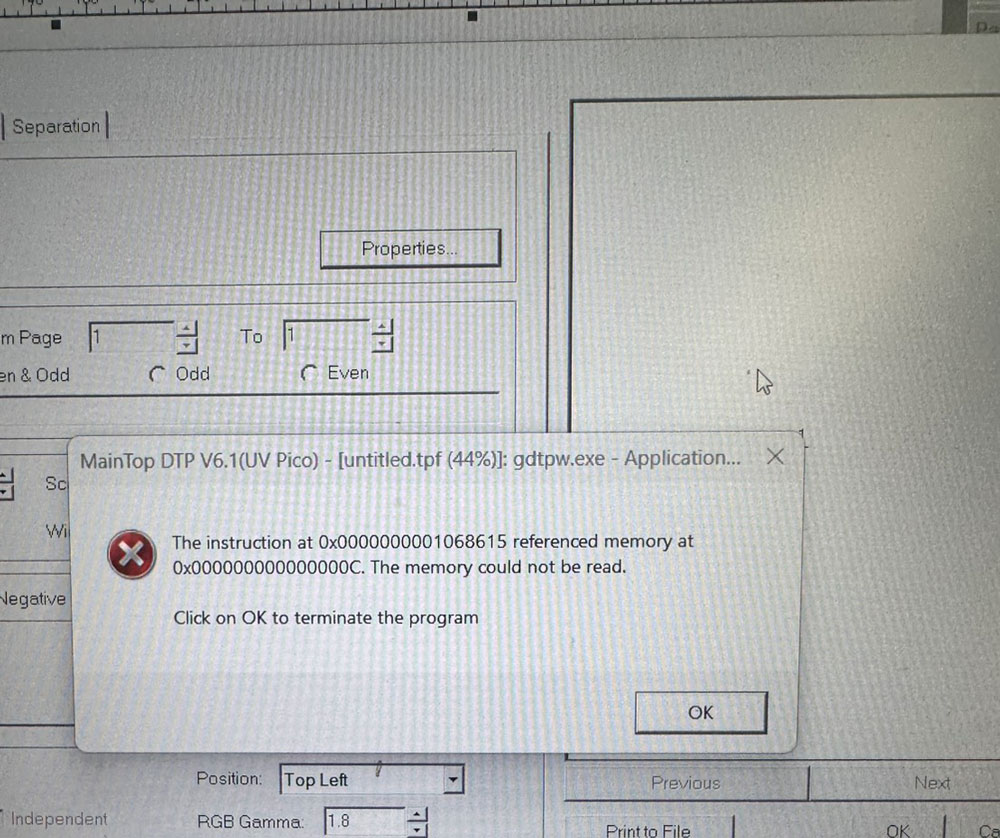
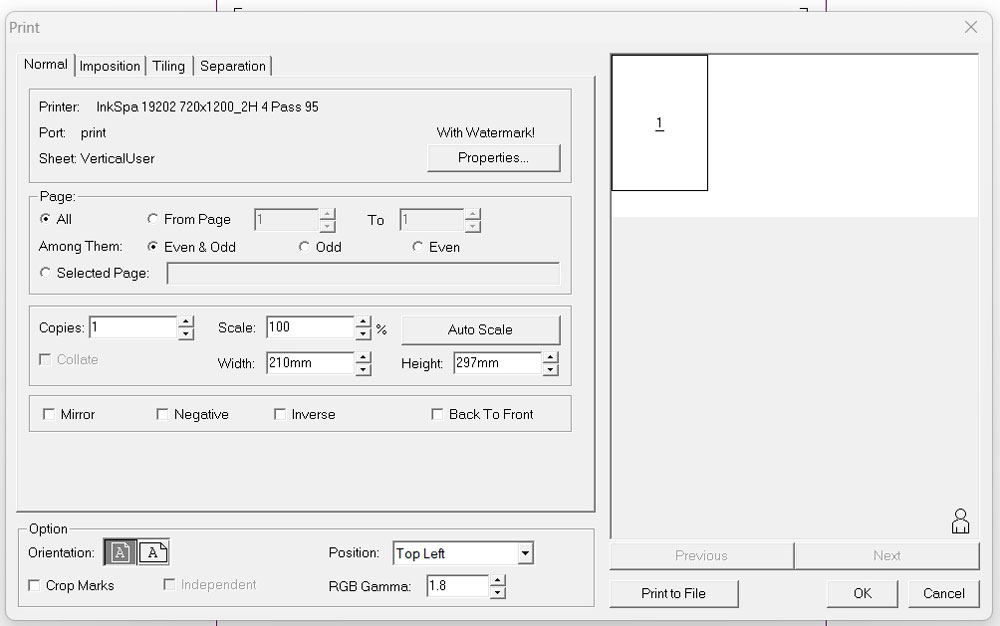
กด Print to file หรือกดเชฟในโปรแกรม maintop ขึ้น 
the instruction at 0x0000000001068615 referenced memory  0x000000000000000C the memory could not be read.
click on Ok to terminare the program 


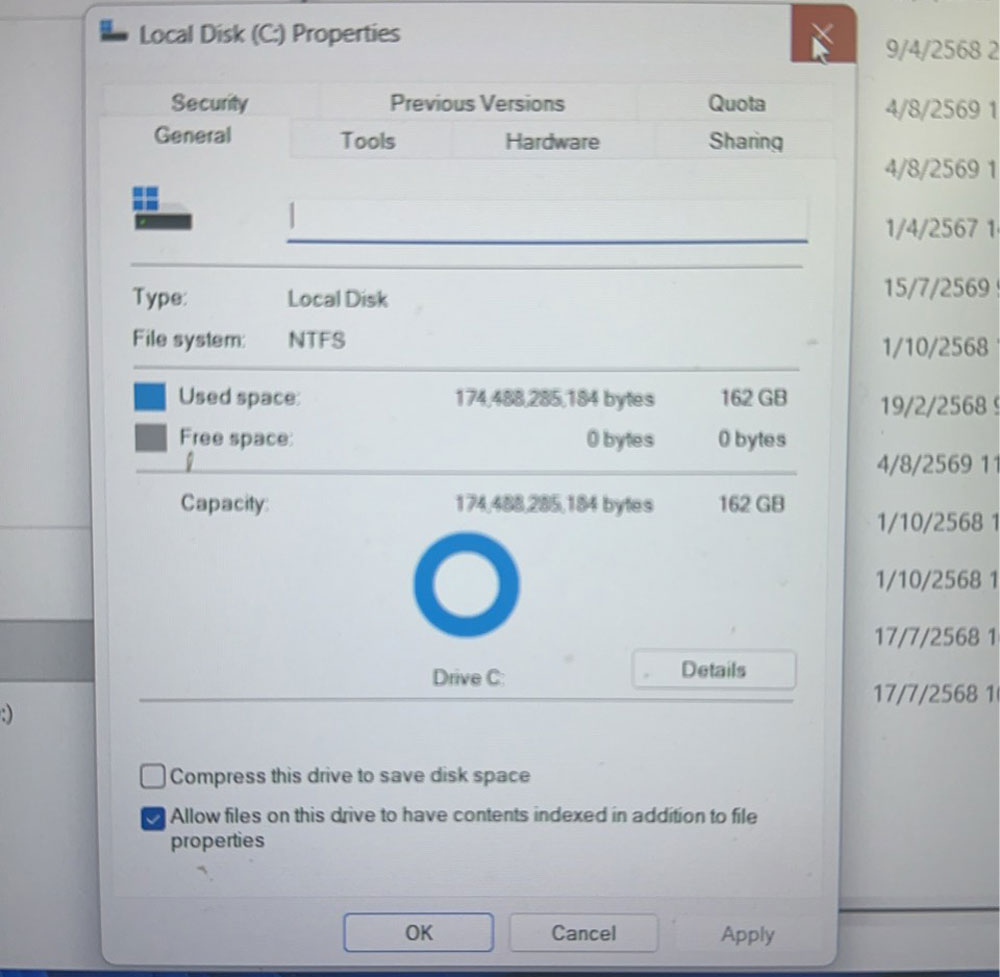
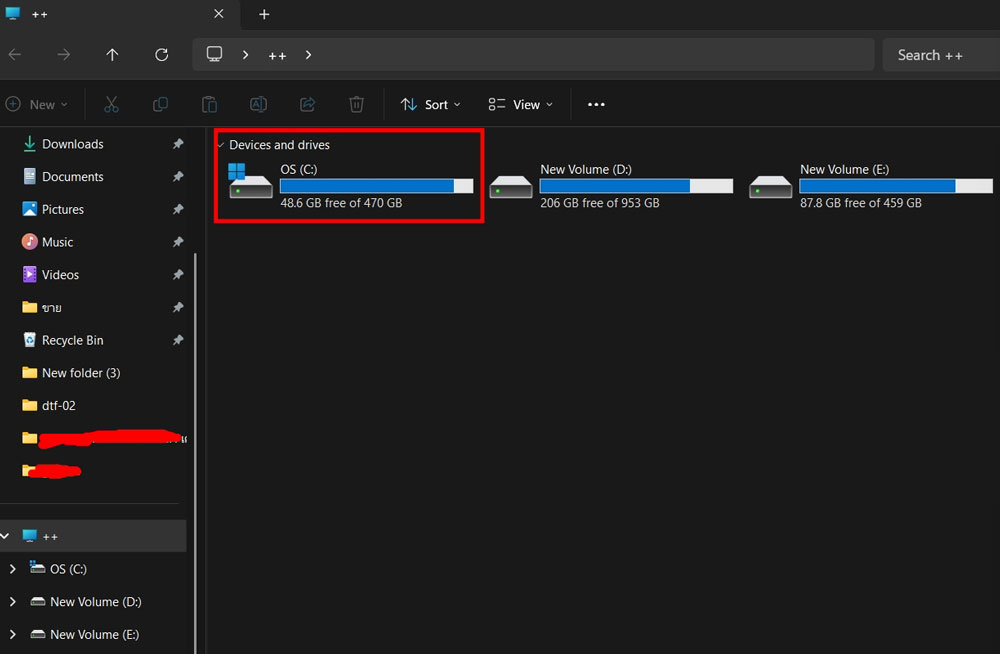
อาการนี้มักเกิดจากพื้นที่ไดร์ C เต็ม ให้กดที่ mycom เพื่อดูพื้นที่ว่าเต็มหรือไม่ ถ้าเต็มให้ลบงานที่ไม่เอาออก แล้วลองสั่งใหม่ ใน


การกด Print to file กรณีที่ไดร์เราเต็ม แต่ยังมีพื้นที่เหลือบ้างพอจะใชข้โปรแกรมประมวลผลได้เราสามารถเลือกเชฟไปที่ไดร์อื่นๆได้เช่น ไดร์ D E เพื่อไม่ให้ไดร์ C เต็มแล้วจะใช้งานโปรแกรมไมได้ 


ปรับปรุงข้อมูลโดย https://printsos.net/
ขอบคุณข้อมูลจาก fixink.net  / https://dtgpro.com/

Write comment (0 Comments)

สีเหลื่อมออกมาจากขาว ขาวซ้อนไม่ทับสี เครื่อง DTF DFT A1 60cm  
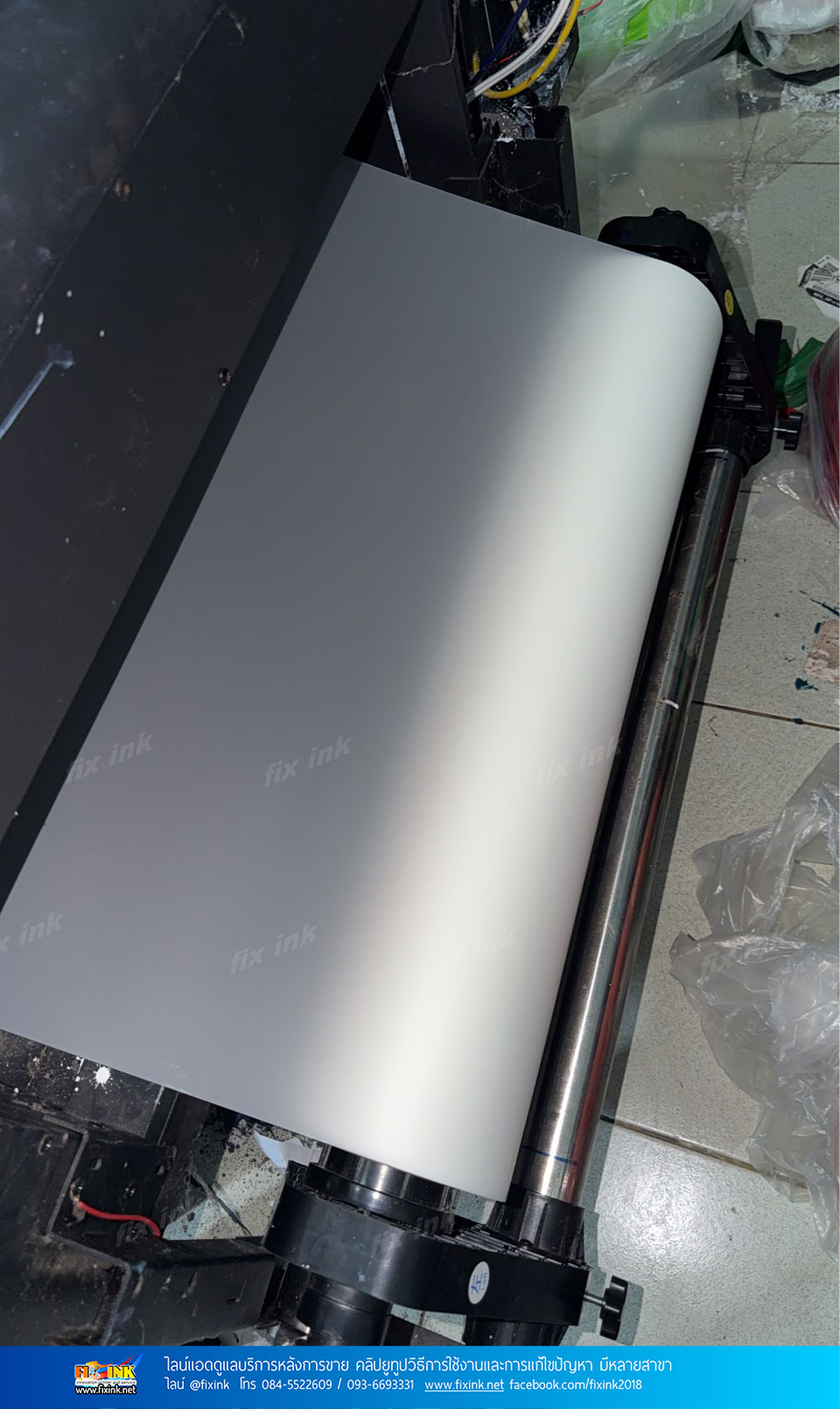
*ตรวจสอบพบโรลปล่อยฟิล์มด้านหลังเครื่องตั้งแรงต้านไว้มากไปเกินไปทำให้พิมพ์ซ้อนสีและสีขาวไม่ทับกันให้คายตัวปรับแรงต้านใช้งานได้ปกติ 

ปรับปรุงข้อมูลโดย https://printsos.net/
ขอบคุณข้อมูลจาก fixink.net  

Write comment (0 Comments)

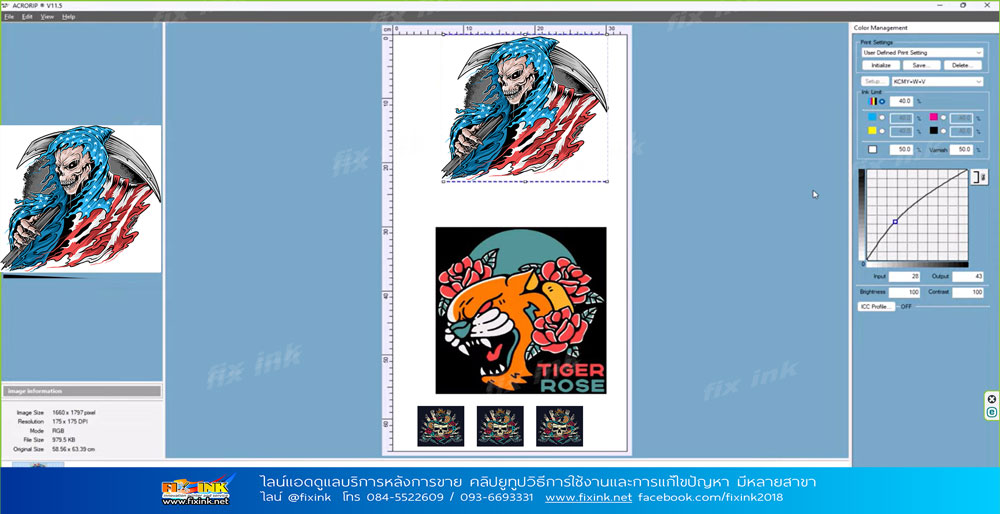
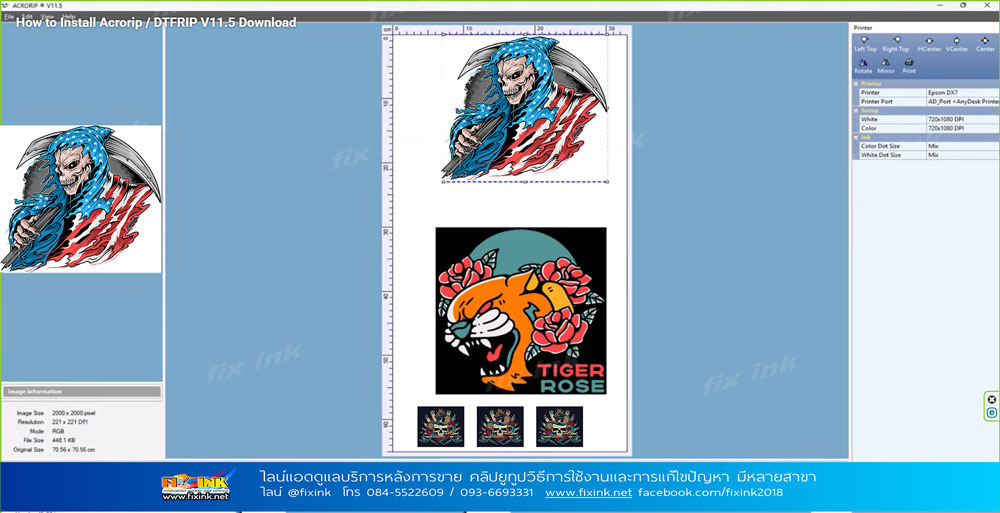
ACRORIP V11.5 RIP Software โปรแกรมสั่งพิมพ์ DTF DFT DTG UV อัพเกรดใหม่ล่าสุด  ออฟชั่นที่โปรแกรมสามารถทำได้ในเวอร์ชั่นนี้ 
1.รวมรูปหลายรูปในหน้างานสั่งพิมพ์เดียวกันได้
2.กำหนดการพิมพ์ แบบครั้งเดียวสีและสีขาว หรือจะพิมพ์สี หรือขาวอย่างเดียวสามารถกำหนดได้และ สามารถพิมพ์ซ้ำได้ในเครื่อง UV FB 
3.ลดปัญหา Error เพื่อวินโดอัพเดท ลดการเปิดโปรแกรมแล้วปิดเอง
4.เลือกช่องสีแบบกำหนดเองได้
5.อัพเกรดคำสั่งของเครื่องพิมพ์รุ่น Beta เป็นเวอร์ชั่นเต็ม
6.การแสดงสีตัวอย่างการพิมพ์ที่เหมือนจริงมากยิ่งขึ้น
7.ปรับโทนสีสีขาวและสีที่ดียิ่งขึ้น
8.RIP BOOST เพิ่มเร็วในการพิมพ์ของเครื่องพิมพ์ Epson บางรุ่นเช่น L1800 ได้ถึง 40%*
9.เพิ่มฟังก์ชั่นการตัดกระดาษในรุ่น Epson 4800 /4880 /4900/P5000/7800/7880
10.ปรับปรุงการพิมพ์แบบโรลใน Epson L1800 L8050 L18050
11.รองรับการพิมพ์ สี สีขาว และวานิชในเครื่องที่รองรับ

---

Key Features:
Multi-image handling
One pass white and color
Easy and bug-free installation
Custom channel settings (change channels on demand and based on your custom requirements)
Latest / updated drivers
Improved color expression (whites and colors are more vivid)
Custom channel substitution (for example, if yellow is clogged, use a white channel and use yellow ink in that channel, while closing off the original yellow channel)
Proprietary RIP BOOST setting to increase the print speed of the popular Epson L1800 printer by up to 40% on demand*
Paper Cut function (works with 4800 / 4880 / 4900 / P5000 / 7800 / 7880)
Roll printing on Epson L1800, P400 / P600 / P800 and other models
Epson SureColor P700, P900 compatibility included where applicable
Epson Ecotank L8050, L18050, L8180 compatibility included where applicable
Epson XP600, I1600 and I3200 functionality (for both DTF as well as UV / UVDTF) where applicable
And much more
* You have the choice of printing at regular speeds (regular speed, photo quality prints) or at RIP BOOST speeds (up to 40% faster speeds, normal quality prints). The quality difference is mostly noticeable on larger prints, but the speed enhancement applies to all print sizes.
➖
ปรับปรุงข้อมูลโดย https://printsos.net/
ขอบคุณข้อมูลจาก fixink.net  / https://dtgpro.com/

Write comment (0 Comments)

พิมพ์แล้วเป็นรอย เบลอเฉพาะจุด   งานพิมพ์บนฟิล์มระบบ DTF DFT 
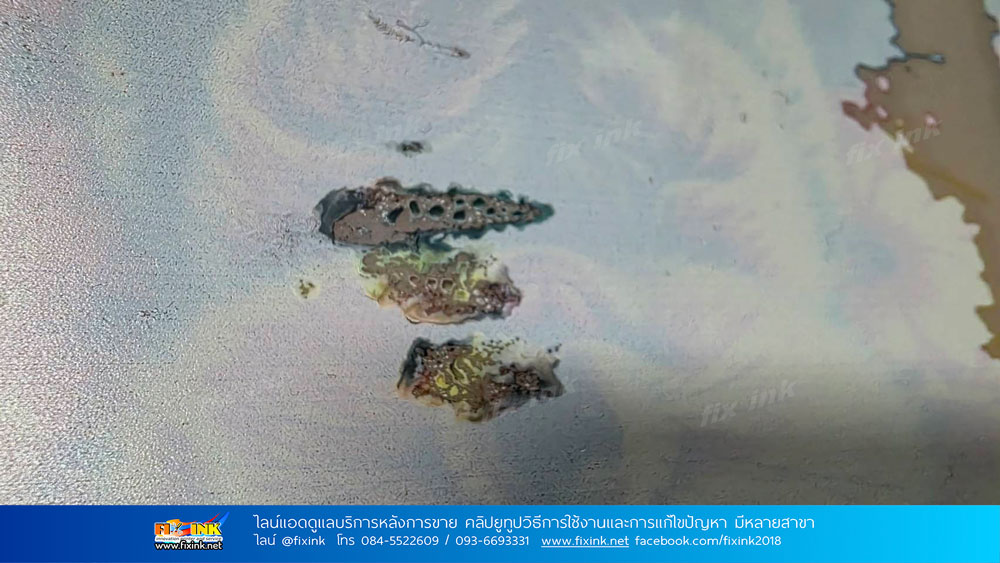
จากการตรวจสอบรอยแล้วไมได้เกิดจากงานโดยเครื่องหรือเกิดจากการจับโดนหลังพิมพ์  แต่เกิดจากสารเคลือบฟิล์มหาย โดยปกติแล้วฟิล์มจะเคลือบสารเพื่อใฟ้หมึกเกาะติดเวลาเราพิมพ์หากสารนั้นโดยน้ำ โดนสิ่งสกปรกจะทำให้บริเวณนั้นพิมพ์ไมได้ ยิ้ม เบลอ ซึม ต้องระวังก่อนพิมพ์อย่าให้ฟิล์มโดนน้ำหรือความชื้น เวลาเราจับก็ใช้จับขอบๆฟิล์ม 

ปรับปรุงข้อมูลโดย https://printsos.net/
ขอบคุณข้อมูลจาก fixink.net  

Write comment (0 Comments)

Please publish modules in offcanvas position.